How to spot a fake job posting before you apply
Six signs a listing is a scam or a data grab, how to check each one yourself in a few minutes, and how Istos checks every role for them before it lands on your list.
Most fake job postings aren't after your work. They're after your details: your ID, your bank account, your address, or a small "fee" before anything starts. Some are only there to collect CVs. They look real enough at a glance, which is the point.
The good news is that almost all of them give themselves away in the same few places. This post covers six signs to look for, how to check each one by hand, and what Istos does with them on your Jobs page.
The six signs
1. You can't find the role on the company's own site
This is the most useful check, and it takes a minute. Go to the company's website, find its careers page, and look for the same title. Many companies list their roles on a board such as Greenhouse, Lever, Ashby or Workday, linked from their careers page. If the role is there, that's a good sign. If the company has a careers page and the role isn't on it, be careful.
Reposting sites aren't proof either way. A role on an aggregator may be real, but you want the company's own listing before you send anything.
2. The apply link goes somewhere odd
Hover over the apply button before you click it. A real application goes to the company's own domain or its job board. Be wary when it goes to:
- a form builder, such as Google Forms, Typeform or Jotform, where your details go to whoever made the form;
- a link shortener, which hides where the link really goes;
- a domain that has nothing to do with the company.
3. They want to talk somewhere other than work email
A recruiter writing from a free mailbox, such as a gmail.com or outlook.com address, instead of an address at the company, is a warning sign. So is a request to move the conversation to Telegram, WhatsApp, Signal or another chat app, or an "interview" held entirely over text. Real employers interview through their own email and calendar.
4. They ask for money, bank details or ID before an interview
No real employer needs money from you to consider you. Watch for application fees, training fees, equipment you have to buy up front, refundable deposits, gift cards or crypto. The same goes for your bank details, a social security or National Insurance number, or a copy of your passport before you've spoken to anyone.
There is one fair exception. After an offer, a real employer will ask for your bank details and right-to-work documents. The order is the tell: offer first, paperwork second.
5. The pay is far above the norm for the title
A junior role at a senior salary, or data entry that pays like a director, is bait. Real pay varies a lot, so this is a soft sign on its own. Next to any of the others, it's a strong one.
6. The company's domain is brand new
Fake listings often sit on domains registered a few weeks ago. You can look up when a domain was registered with a public lookup service (search for "RDAP lookup" or "WHOIS lookup" and type the domain). A company that says it has been around for ten years shouldn't have a website from last month.
How Istos checks every role
When you run Find jobs, a small team of agents takes turns, and one of them is the vetter. It's plain code, not a model, so it gives the same answer every time and always says why. It runs on every role the scouts find, and on any job you add yourself with Add a job or post.
It checks each of the six signs above:
- The apply link. It must point to the company's domain, a job board the company uses, or a government job bank. Form builders and link shorteners are flagged by name.
- Free mailboxes and chat apps. An address at a free mail provider in the posting, or a request to talk on Telegram, WhatsApp, Signal, WeChat or Skype.
- Money, bank details or ID before an interview. Sentences about what happens after an offer are left alone.
- Pay far outside the norm. Hourly, daily and weekly pay is turned into a yearly figure and compared with a generous ceiling for the title, so only gross outliers are flagged.
- A new domain. If the company's domain was registered less than 90 days ago, according to its registry's public records. Some registries don't publish this, so for those domains the check stays quiet rather than guess.
- No official source. For a role that didn't come from a company board or a job bank, such as one you pasted in, Istos looks for it on the company's site, its job board and the job banks. If those all answered and none lists it, it says so.
Any one of these flags the role. Here's what that looks like on demo data:
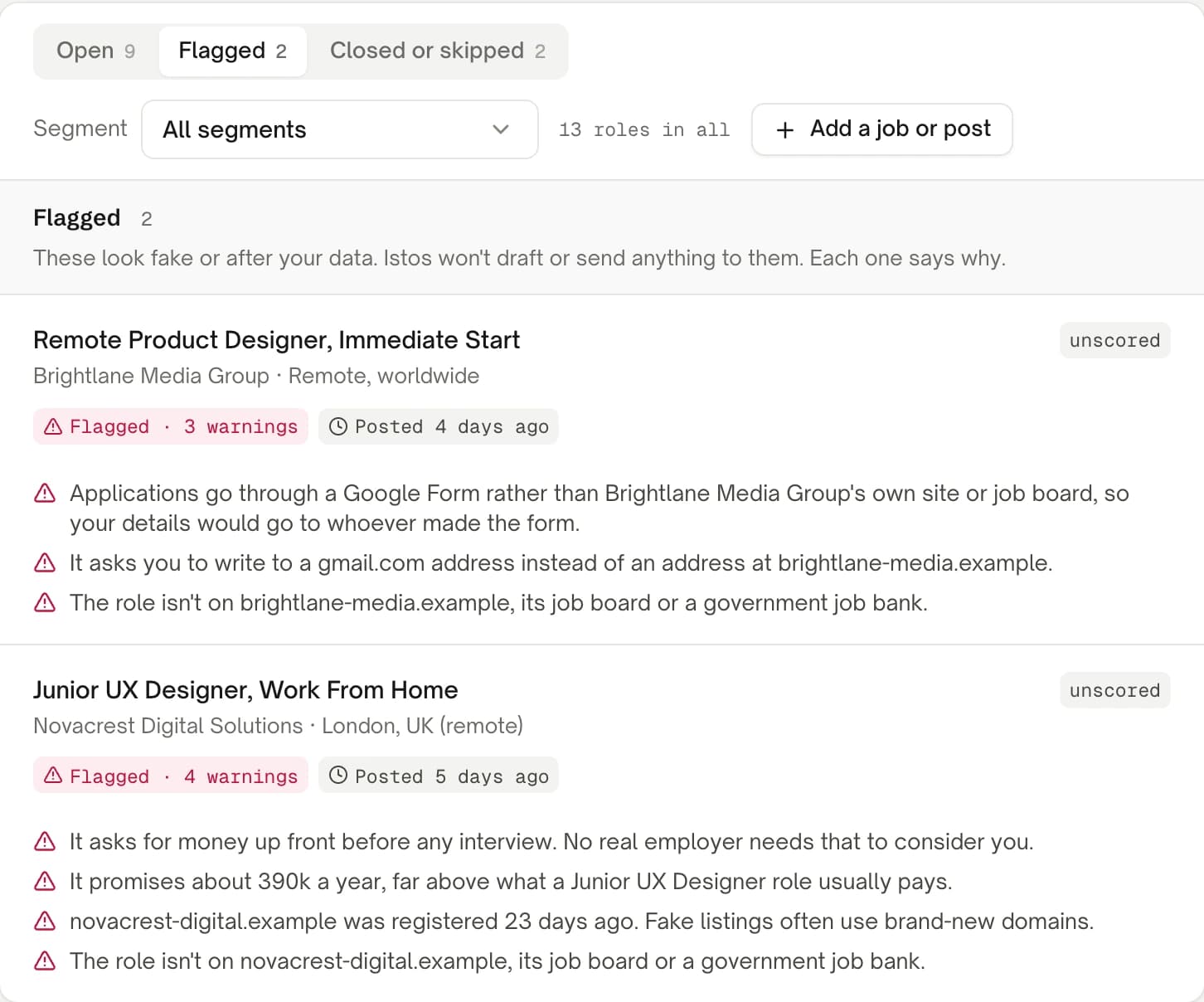
The Flagged view on demo data. Every warning says why in plain words.
What happens to a flagged role
A flagged role gets a red Flagged badge, with a count when there's more than one warning. It moves out of your open list and into the Flagged view, which says: "These look fake or after your data. Istos won't draft or send anything to them. Each one says why."
From then on, Istos keeps its hands off it:
- It isn't scored, and no application is drafted for it.
- There's no warm path for it, and no email lookup for anyone there.
- If a role is flagged after you approved an application, the email still won't send.
The role's own page shows the same reasons on its Checks card, so you can read them before you decide anything. If you're sure a flagged role is real, apply through the company's own site, not through the link in the posting.
Roles that aren't flagged still carry their checks
Passing the red-flag checks doesn't make a role a good bet. Every role on your Jobs page also shows where it was verified, how fresh it is and what the posting says about visas. The Recommended list only holds roles from the last 14 days with nothing flagged. How to find roles that actually fit your level goes through those badges and your odds in detail.
If you found the job yourself
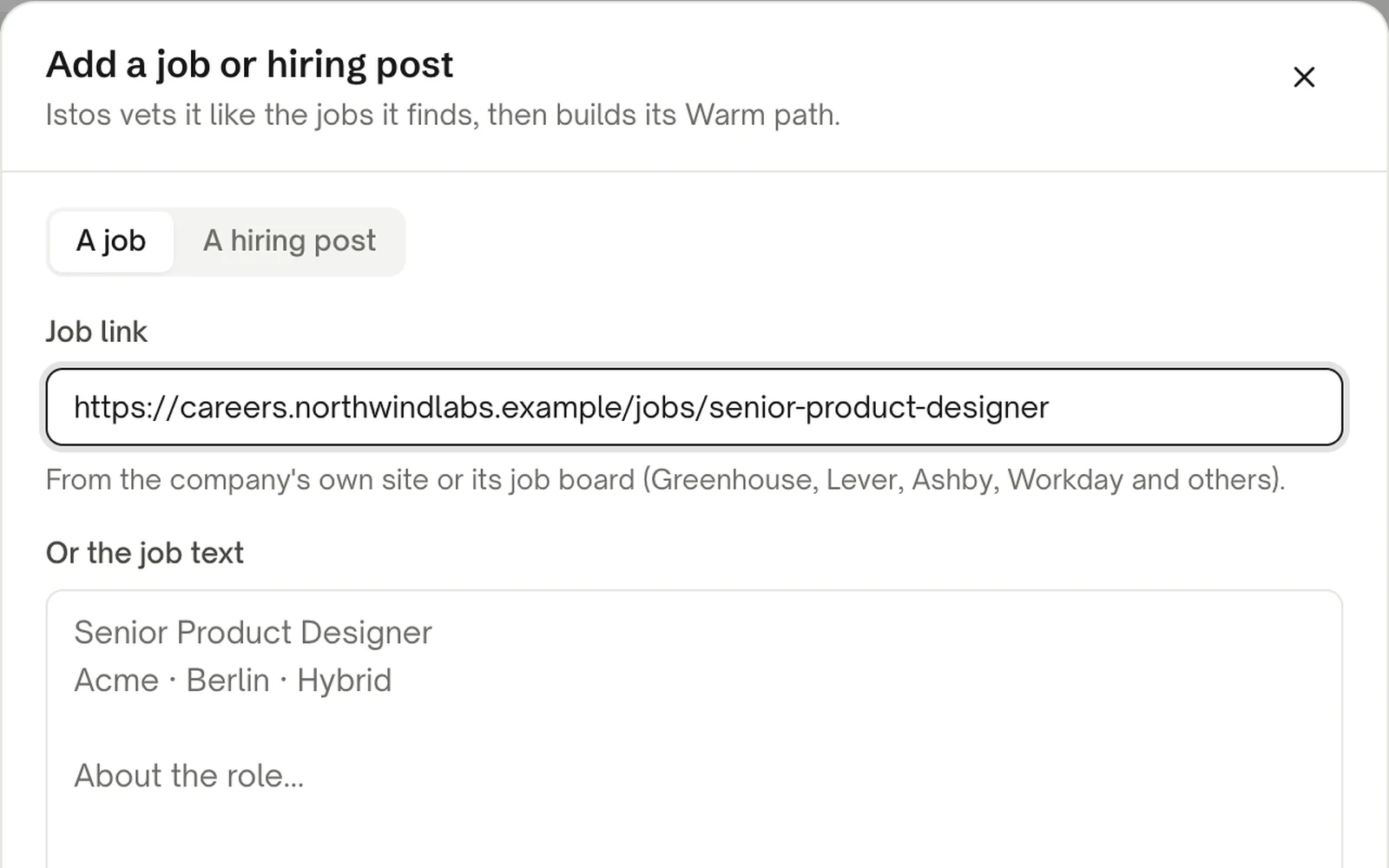
You can run the same checks on a job you found anywhere. On Jobs, press Add a job or post, then paste the link from the company's own careers page or job board, or paste the job text. Istos vets it like the roles it finds. It won't open LinkedIn links, so for a LinkedIn job, copy the text and paste that. How to find jobs on company career pages covers this step by step.
If something goes wrong
- A role you know is real is flagged. Read the reasons. The most common one is an apply link that leaves the company's domain for a tool Istos doesn't know. Apply through the company's own site, and leave the flag where it is so nothing gets sent through that link.
- "Not verified yet" instead of Verified. The company's board or site didn't answer when Istos checked. It isn't a flag. Istos looks again on the next run.
- No new-domain warning on an obviously new site. Some registries, including those for .io, .co and .de, don't publish registration dates in a way Istos can read. Those domains are never flagged on age.
If you're about to apply, the next step is the warm path: a better first door than the careers page, once you know the role is real.
Let the agents do the searching
Istos is in private beta. Join early access, or try the free preview on your resume, your website or your raise first. Nothing sends until you approve it.