How to find jobs on company career pages, not job boards
Big job sites repost roles that closed weeks ago. How to go to the source, the companies you'd actually join, with a watchlist that reads their own boards, government job banks, and a way to add any job you find yourself.
If you've ever applied for a role on a big job site and heard nothing, there's a fair chance the role was already gone. Aggregators copy listings from company sites and keep them up long after the company has taken them down. You can't tell from the outside, and the application goes nowhere.
The fix is old and dull: go to the source. A company's own careers page, or the job board it runs on, is the one place that knows whether a role is open today. This post shows how to work that way without visiting fifty careers pages a week, using Istos's watchlist, the government job banks and Add a job or post.
Why the source matters
There are three reasons to apply on the company's own page rather than a reposting site:
- It's current. When the company closes a role, it disappears from its board. Copies elsewhere can linger.
- It's real. A role on the company's own domain is very hard to fake. Fake listings live on reposting sites, form builders and chat apps. How to spot a fake job posting covers the signs.
- It's the front door. Your application lands in the company's own hiring system, not in a forwarding queue.
The catch is effort. Checking careers pages by hand is slow, and you forget the ones you meant to check. That's the part to hand over.
Build a watchlist of companies you'd join
On Jobs, the Watchlist card on the right holds the companies Istos reads every time you run Find jobs. Press Add and fill in:
- Name, the company's name.
- Domain, its website, such as linear.app.
- Location, where it's based.
- ATS, the job board it uses: Greenhouse, Lever, Ashby or other. Leave it on detect and Istos tries all three for you.
- Slug, the company's name on that board, if you know it. It's the part of the board's address after the board's own domain.
With detect, Istos tries likely names for the company on each of the three boards and keeps the first that answers with at least one posting and plausibly belongs to that company. Generic names that could be anyone's are skipped. When it finds a board, it says so, with the board's name and how many postings are on it.
If a company isn't on any of the three, it can still be on your watchlist. Istos also reads its own site: the home page, its careers and jobs pages, and the links to careers on its home page, up to four pages a company, and only where the site's robots.txt allows it. It looks for the structured job data many careers pages publish, links with the role's title, and any Greenhouse, Lever or Ashby board the page embeds.
Find similar on the same card finds more companies like the ones you have, from Istos's own index of open roles. How to find companies and investors like the ones you name covers it.
Add the government job banks
Some governments publish their job banks through an official, public interface. Where they do, and only where they do, Istos searches them too. Today that's:
- Sweden, Arbetsförmedlingen's JobTech search, which is open data.
- Norway, NAV's Arbeidsplassen feed of the last seven days.
Others either have no official way in or only let approved partners read them, so Istos leaves them alone.
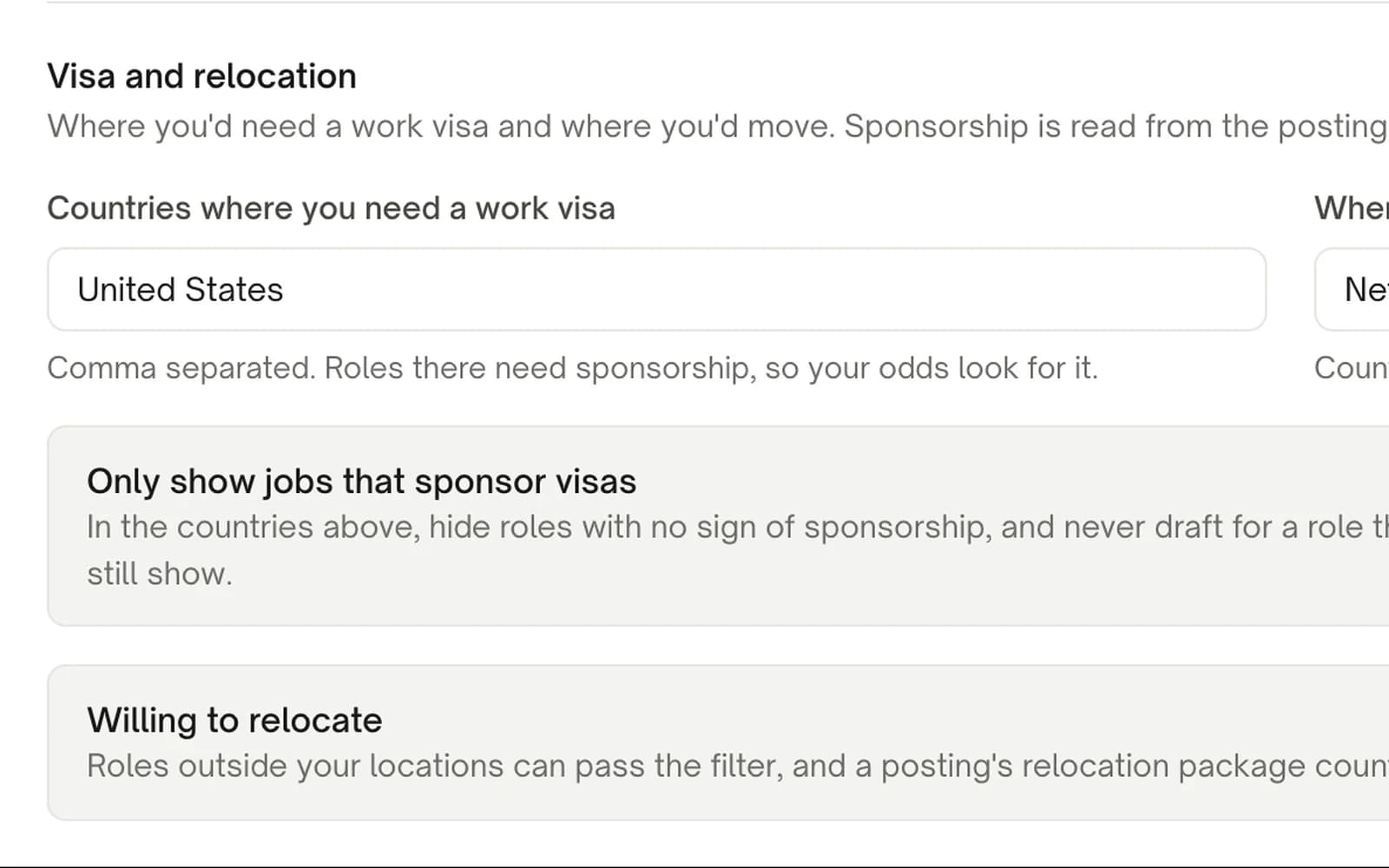
To use them, open Settings, then Job filters, and under Search fill in Roles to search job banks for, up to five titles. Istos searches the banks in the countries you can work in or would move to, using your locations and the Where you'd move list.
Run Find jobs
Press Find jobs. The scouts read every board on your watchlist and the job banks. Then your filters drop roles that miss your rules, and the vetter checks each role that's left against the company's own site.
Two things follow from reading the source directly:
- Closed roles close. When a company's board answers and a role is no longer on it, Istos marks the role closed. A role whose posting says applications ended on a date that has passed is closed too. Closed roles move to Closed or skipped, so you don't spend an evening on them.
- Each role says where it was verified. The badge reads Verified on and the company's domain when the role is still listed there. If a board didn't answer this time, it says Not verified yet and Istos looks again next run. A board that times out never closes anything.
Add a job you found yourself
You'll still find roles in other places: a friend's message, a newsletter, a post. On Jobs, press Add a job or post.
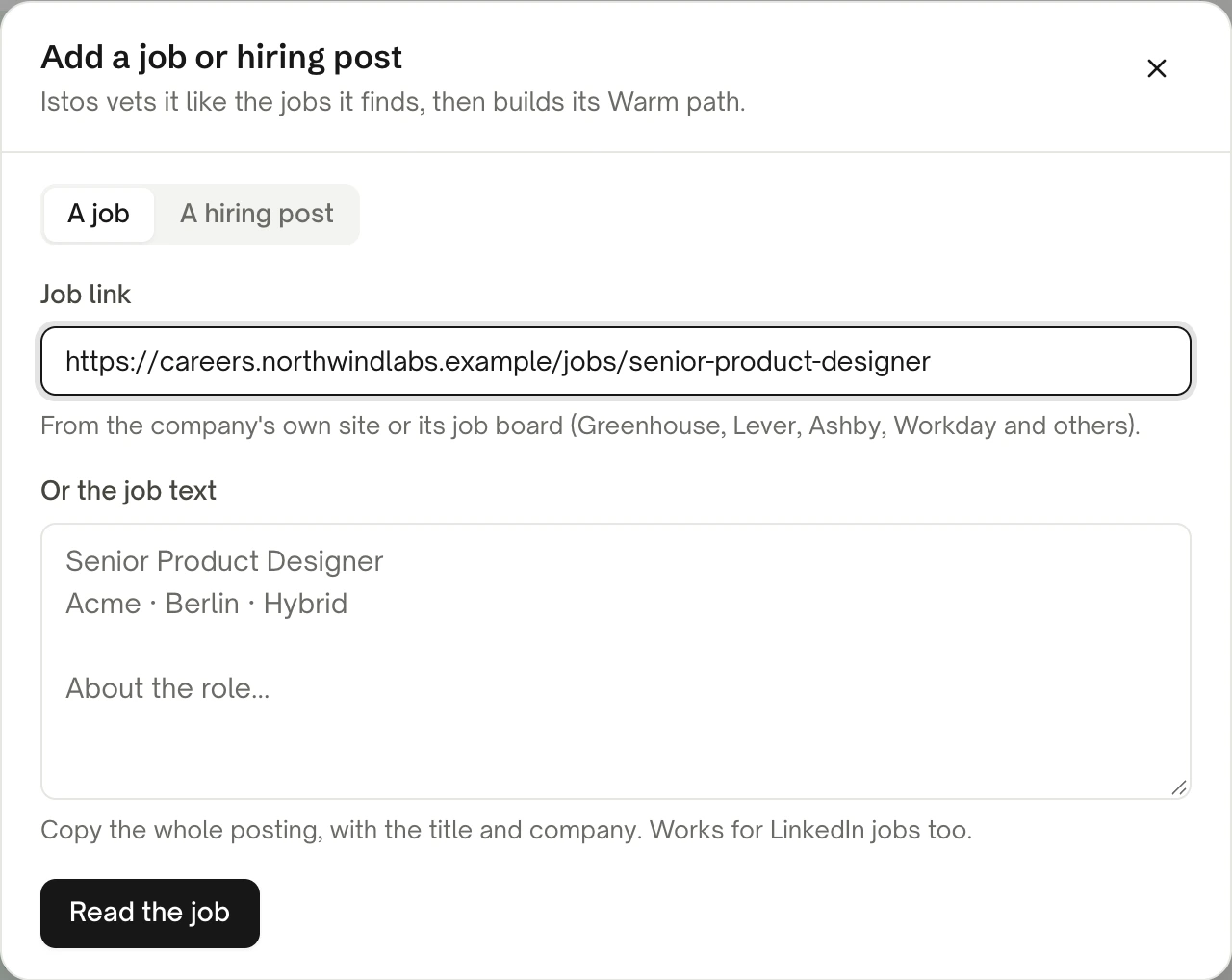
Add a job or post, with a link from the company's own careers site.
Paste the company's own link
Under Job link, paste the role's address on the company's site or its job board. Greenhouse, Lever, Ashby, Workday, Workable, SmartRecruiters and many others work.
Or paste the text
If you only have the text, paste the whole posting, with the title and company, under Or the job text. This is also the way for a LinkedIn job: Istos never opens LinkedIn pages, so copy the text there and paste it here.
Read the job, then add it
Press Read the job. Check the title, company, location and the company's website it found, fix anything that's off, and press Add job. Istos vets it like the roles it finds, then builds its warm path.
A link from a reposting site, such as Indeed, Glassdoor or Wellfound, is refused with a note asking for the company's own link instead. That isn't fussiness. It's the same rule as the rest of this post: the source, or the text.
The A hiring post tab is for a post where someone says they're hiring. Istos drafts a comment and a direct message for you to copy and post yourself. It never posts or sends on LinkedIn or X.
A weekly rhythm
- Add two or three companies to the watchlist whenever one catches your eye. Ten good ones beat a hundred vague ones.
- Run Find jobs a few times a week. Read Recommended first.
- Add any role you find elsewhere with Add a job or post, so everything lives in one list with the same checks.
- Before applying, open the role and look at the warm path. A referral or a note to the hiring manager usually goes further than the form.
If something goes wrong
- "Added, but no public board found." The company isn't on Greenhouse, Lever or Ashby under a name Istos could find. If you know its slug, choose the board and type it. If it uses another system, choose other: Istos still reads its own careers pages.
- A role vanished from your list. The company took it down, so Istos closed it. Look under Closed or skipped.
- The job banks found nothing. Check that Roles to search job banks for has titles, and that Sweden or Norway is somewhere you can work or would move to.
- The link was refused. It's a reposting site, LinkedIn, or a social site. Find the role on the company's own careers page, or paste the text.
Let the agents do the searching
Istos is in private beta. Join early access, or try the free preview on your resume, your website or your raise first. Nothing sends until you approve it.